
Today we’re adding word bounding boxes and confidence scores to the Datalab convert API. For every word on the page you now get two things: its exact page location, and how sure the model is that it read the word correctly.
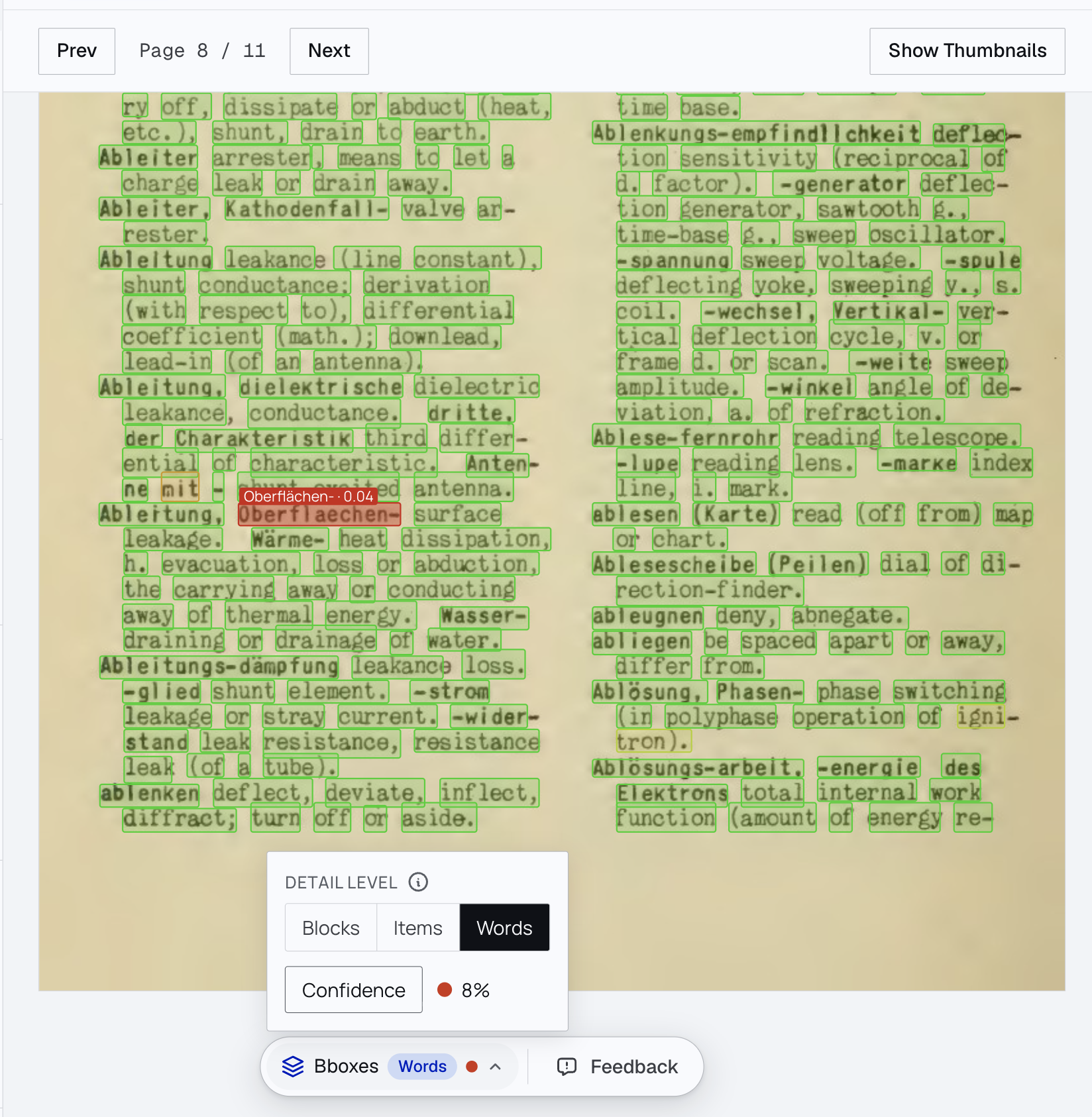
Every word boxed, with the one low-confidence word (“Oberflaechen-”, 0.04) flagged in red.
Use Cases
- Auditability. Every word points back to a box on the page, so you can trace any value in the output to where it sits on the original — even when several values share a line.
- Human-in-the-loop review. A low score flags a word the model is unsure about. A reviewer can check just the flagged words instead of matching a whole page against the transcription. Review that took hours can take minutes.
- Catches what actually breaks. Low scores reliably flag the real errors — swaps, substitutions, insertions, deletions, smudged or faded text — with high recall and few false positives.
- Multilingual. Works across languages and scripts, with per-character boxes for Chinese, Japanese, and Korean.
- Accessibility. Word boxes link each word to its spot on the image, so you can build readers that highlight text in sync with the source — read-aloud, tap-to-locate, and side-by-side views.
It works on any input: a phone photo, a scan, a digitized PDF. The model reads pixels, so it does not need an embedded text layer.
Hierarchical page understanding:
Boxes and confidence scores aren’t just for words. Every level of the page has its own — a block, a table cell, a list item — with the confidence rolled up from the words inside it. So you can find the lowest-confidence block on a page first, then drill down to the word that caused it.
For tables, the cell box is the full grid cell, built from the row and column lines, so even empty cells get a box — not just a box around the text.
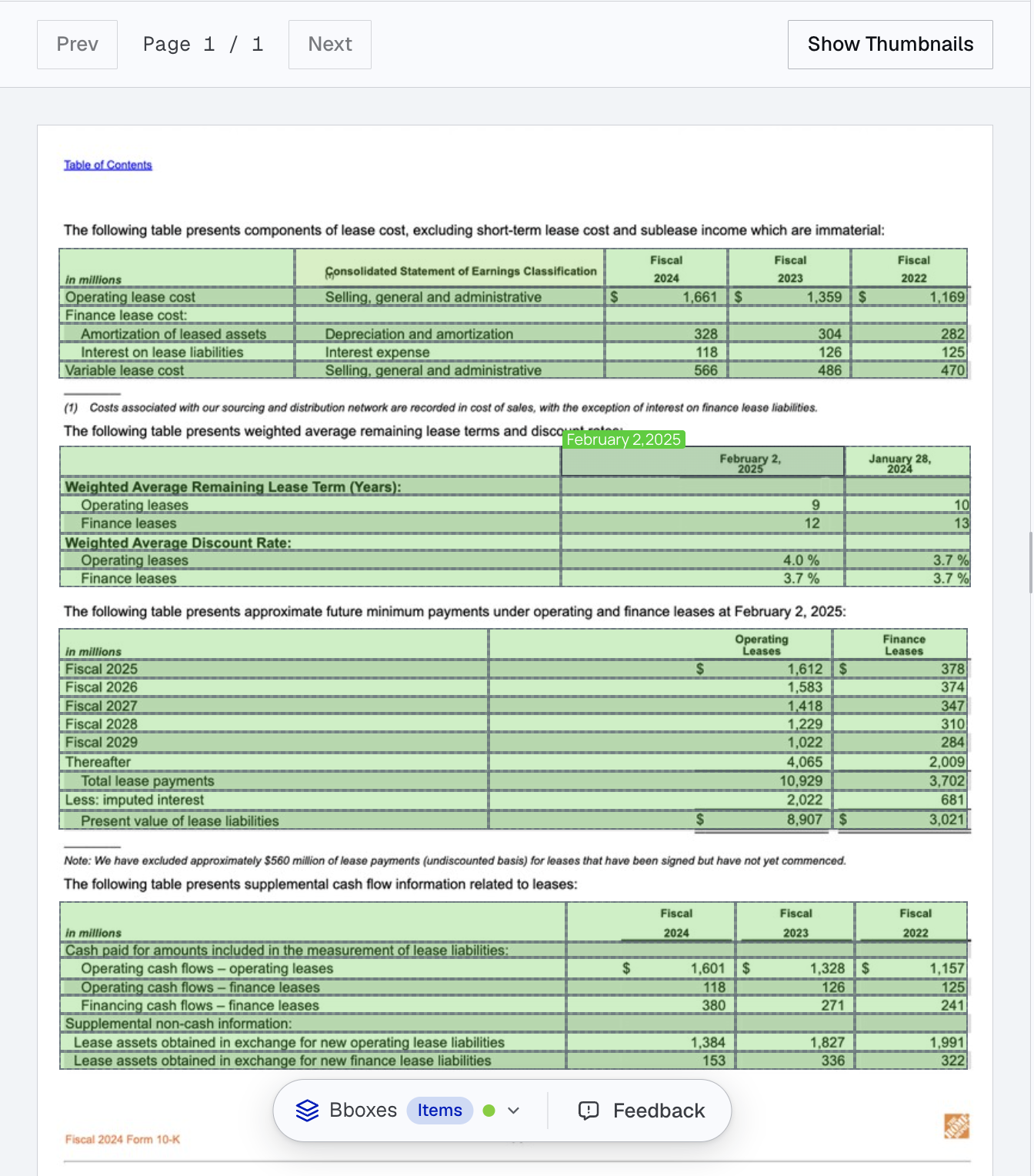
Each table cell gets its own box and confidence with the transcribed text overlaid.
How to use it
Turn it on by adding the bounding box add-ons to a convert request. See the bounding box add-ons guide for the options, and the convert document API reference for the full request and response shape.
The boxes and scores come back inline in the HTML response. Each word is wrapped in a span carrying its box and confidence:
<span data-bbox="161 308 201 329" data-confidence="0.97">Oberflaechen</span>The same data-bbox and data-confidence attributes land on table cells, rows, columns, and list items when you turn on those add-ons.
Pricing for the add-ons is on the pricing page.
Try it
Word boxes and confidence are available now in the API and the playground. Turn on the word boxes toggle and send a document.
If you are reviewing OCR output at scale, or building a human-in-the-loop pipeline, we’d love to hear from you. Reach out at [email protected].