
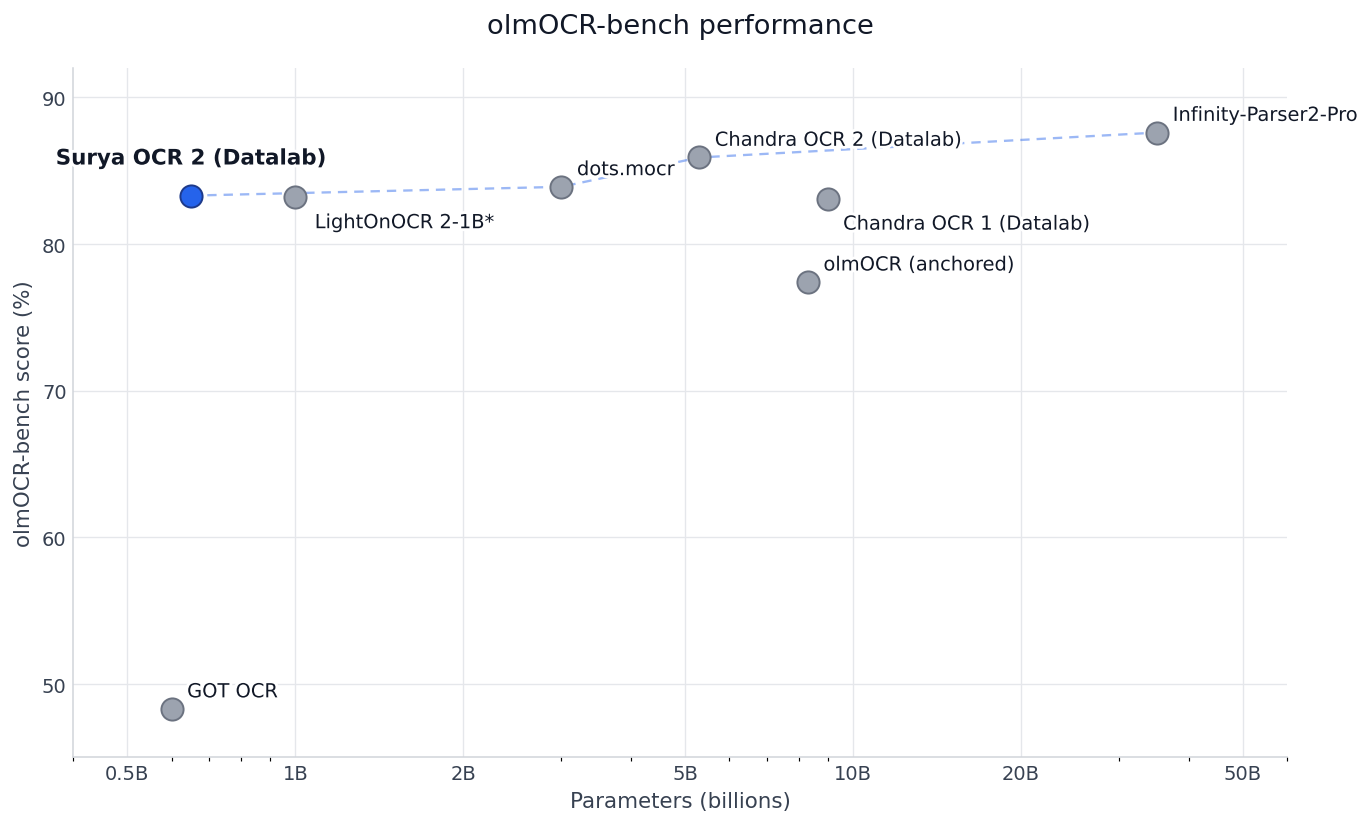
We’re releasing Surya OCR 2, a 650M parameter open-source OCR model that hits 83.3% on the olmOCR benchmark - pareto-optimal, and competitive with models 5–50x larger while being small enough to run on a MacBook.
Here’s what’s new:
- Model size: 650M params
- One model, four tasks: full-page OCR, layout analysis, reading order, and table recognition
- olmOCR-bench: 83.3% overall, best in class under 3B params
- Multilingual: 87.2% pass rate across 91 languages on an internal eval; 38 languages score ≥ 90%
- Throughput: 5.35 pages/sec on a single RTX 5090 at 128 concurrent requests
- Runs on Apple Silicon: via
llama.cpp - License: code is Apache 2.0, weights are modified OpenRAIL-M (free for research, personal use, and startups under $5M)
Get it:
- GitHub
- HuggingFace
- Playground - this runs a larger model, but roughly shows you the capabilities of Surya
- API
Background
Over the last year, Surya has grown to 20k Github stars, and widespread usage across industries. Surya is popular because it is lightweight, runs everywhere, and is accurate across many languages. With Surya 2, we wanted to build on these strengths without losing multilingual accuracy. We’ve been able to achieve this - we significantly improved OCR quality, including math, handwriting, tables, forms, and general layout. Best of all, we’ve been able to keep the model 650M params, and compatible with a range of inference frameworks, like vllm and llama.cpp.
Small and highly accurate
Surya OCR 2 gets as much performance as possible out of a 650M param model, while still staying competitive across the olmocr benchmark and 91 languages. We achieve this through some architectural modification, and our training data mix. Both are optimized for a small parameter model.
If you want maximum accuracy, use Chandra 2 - it’s our 4B model that is significantly more accurate.
Benchmarks
olmOCR-bench
| Model | Params | Score |
|---|---|---|
| Infinity-Parser2-Pro | 35.1B | 87.6 |
| Chandra OCR 2 (Datalab) | 4.0B | 85.9 |
| dots.mocr | 3.0B | 83.9 |
| Surya OCR 2 (Datalab) | 0.65B | 83.3 |
| LightOnOCR 2-1B * | 1.0B | 83.2 |
| Chandra OCR 1 (Datalab) | 9.0B | 83.1 |
| olmOCR (anchored) | 8.3B | 77.4 |
| GOT OCR | 0.6B | 48.3 |
* LightOnOCR 2-1B uses a different evaluation methodology than the other entries (see their release notes); included for context but not directly comparable.
Per-source pass rate on the olmOCR-bench default preset:
| ArXiv | Base | Hdr/Ftr | TinyTxt | MultCol | OldScan | OldMath | Tables |
|---|---|---|---|---|---|---|---|
| 88.3 | 99.7 | 92.5 | 93.7 | 82.4 | 41.8 | 81.4 | 86.6 |
Surya 2 beats Chandra OCR 1 (9B) on overall score while being 14× smaller.
Multilingual
We also evaluate Surya 2 on a 91-language internal benchmark that covers text accuracy, layout, tables, math, and reading order across documents drawn from each language.
Overall pass rate: 87.2% across 91 languages (32,055 tests). 38 of the 91 languages score ≥ 90%; 76 score ≥ 80%.
Top 15 widely-spoken languages:
| Code | Language | Score |
|---|---|---|
ar | Arabic | 72.7% |
bn | Bengali | 82.7% |
zh | Chinese | 82.5% |
en | English | 92.3% |
fr | French | 89.3% |
de | German | 89.7% |
hi | Hindi | 82.2% |
it | Italian | 93.0% |
ja | Japanese | 86.2% |
ko | Korean | 86.7% |
fa | Persian | 82.3% |
pt | Portuguese | 86.1% |
ru | Russian | 88.8% |
es | Spanish | 90.7% |
vi | Vietnamese | 73.2% |
Full 91-language breakdown is on GitHub.
Multiple tasks in one model
Surya 1 was a pipeline: a separate model for text detection, another for layout, another for OCR, another for tables. Surya 2 collapses three of those into one VLM (layout, recognition, table_rec); text detection stays as a small dedicated torch model since it has different latency requirements.
Layout and reading order
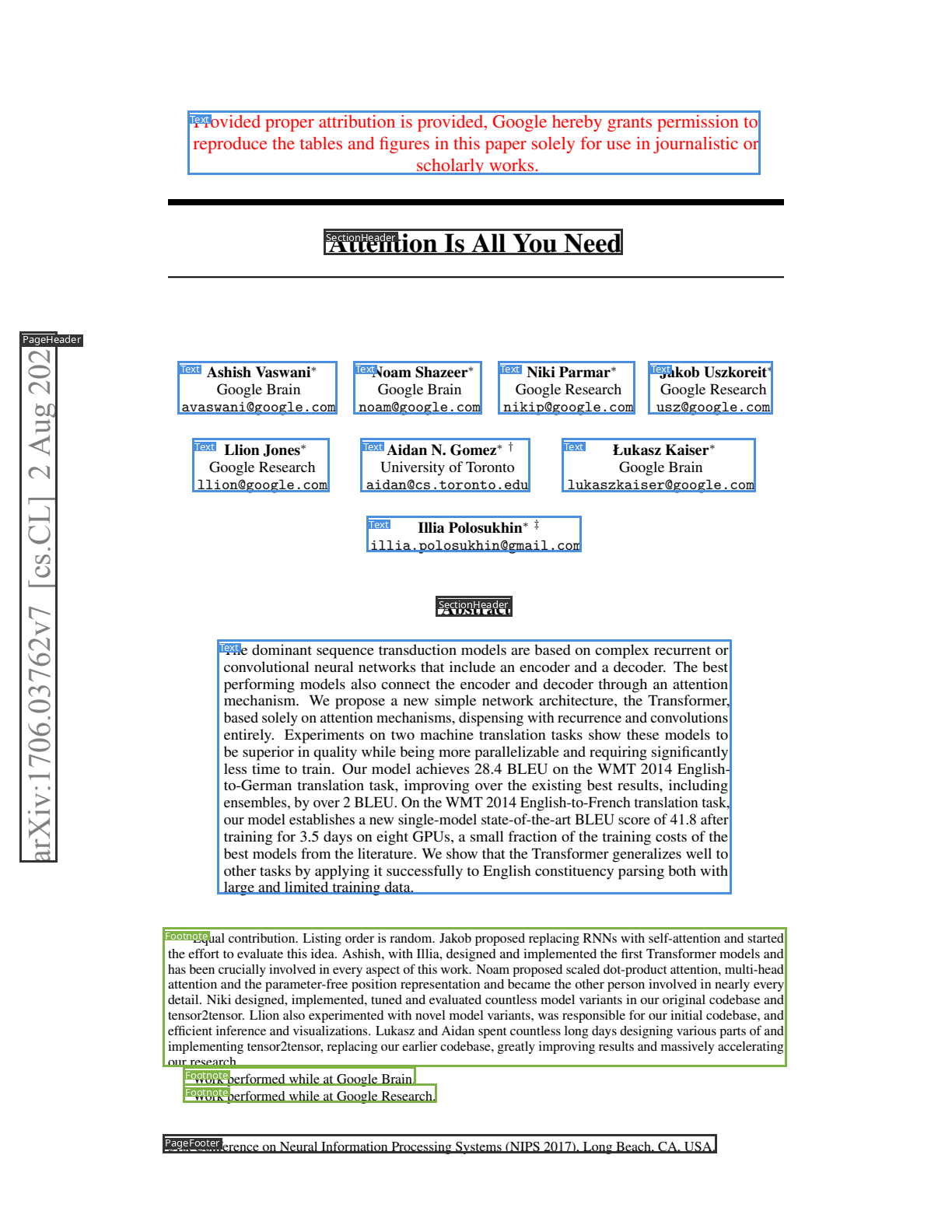
The layout model emits 18 block types (Text, SectionHeader, Table, Equation, Picture, Form, PageHeader, Code, ChemicalBlock, …) with bounding boxes and a reading-order index. Output is JSON-schema-constrained so the model can’t emit malformed output.
Full-page OCR
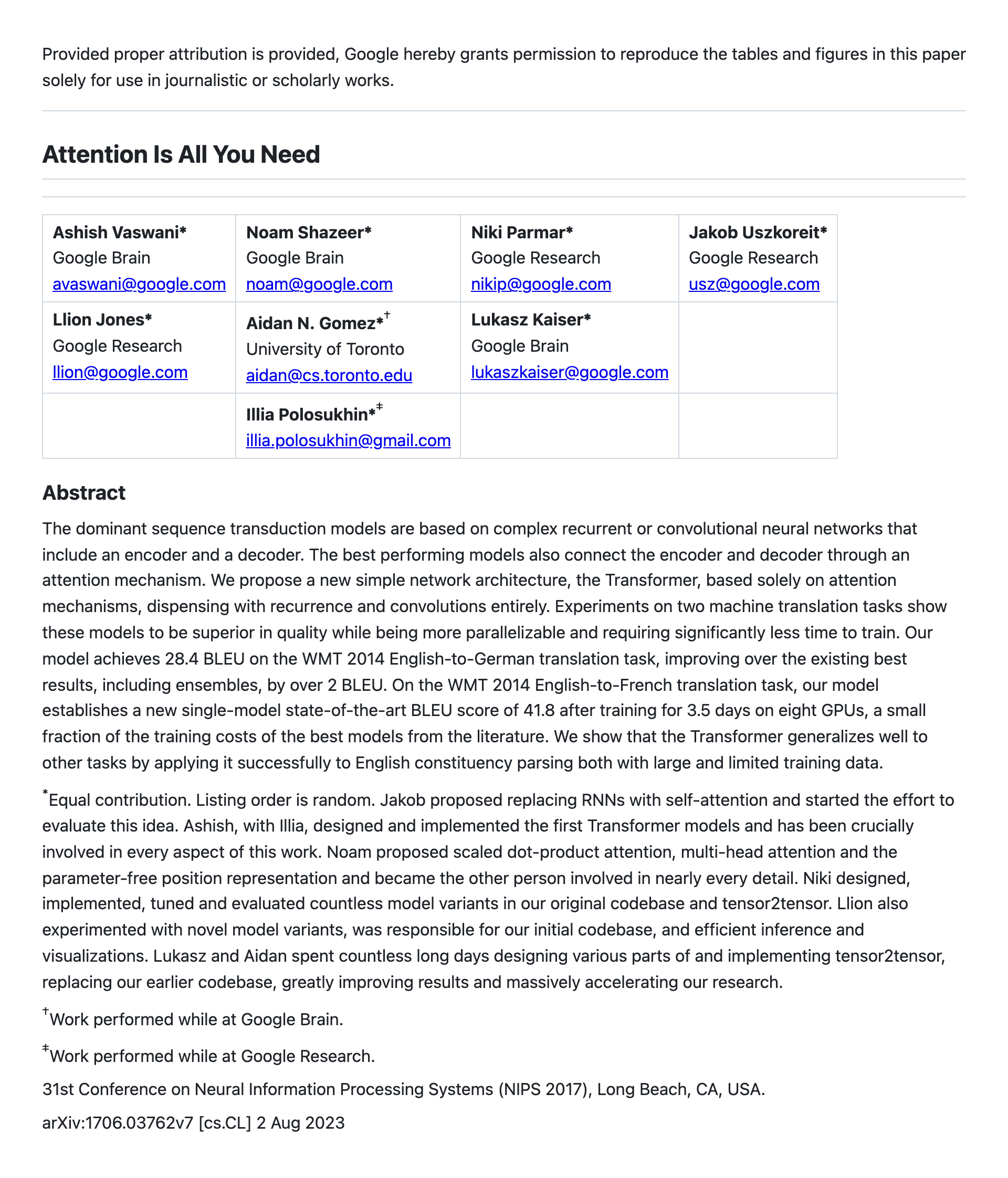
A single VLM call per page returns HTML with <div data-bbox=… data-label=…> blocks. Math comes back inline in <math>…</math> tags (KaTeX-compatible LaTeX) — no separate LaTeX OCR pass. Tables come back as <table> HTML. The image above shows the OCR output rendered as a markdown-style document.
Block mode OCR
For workflows that need per-block crops (e.g., to merge with text-line detection downstream), pass the layout result back into the recognizer and it switches to block mode — one VLM call per detected block.
Table recognition
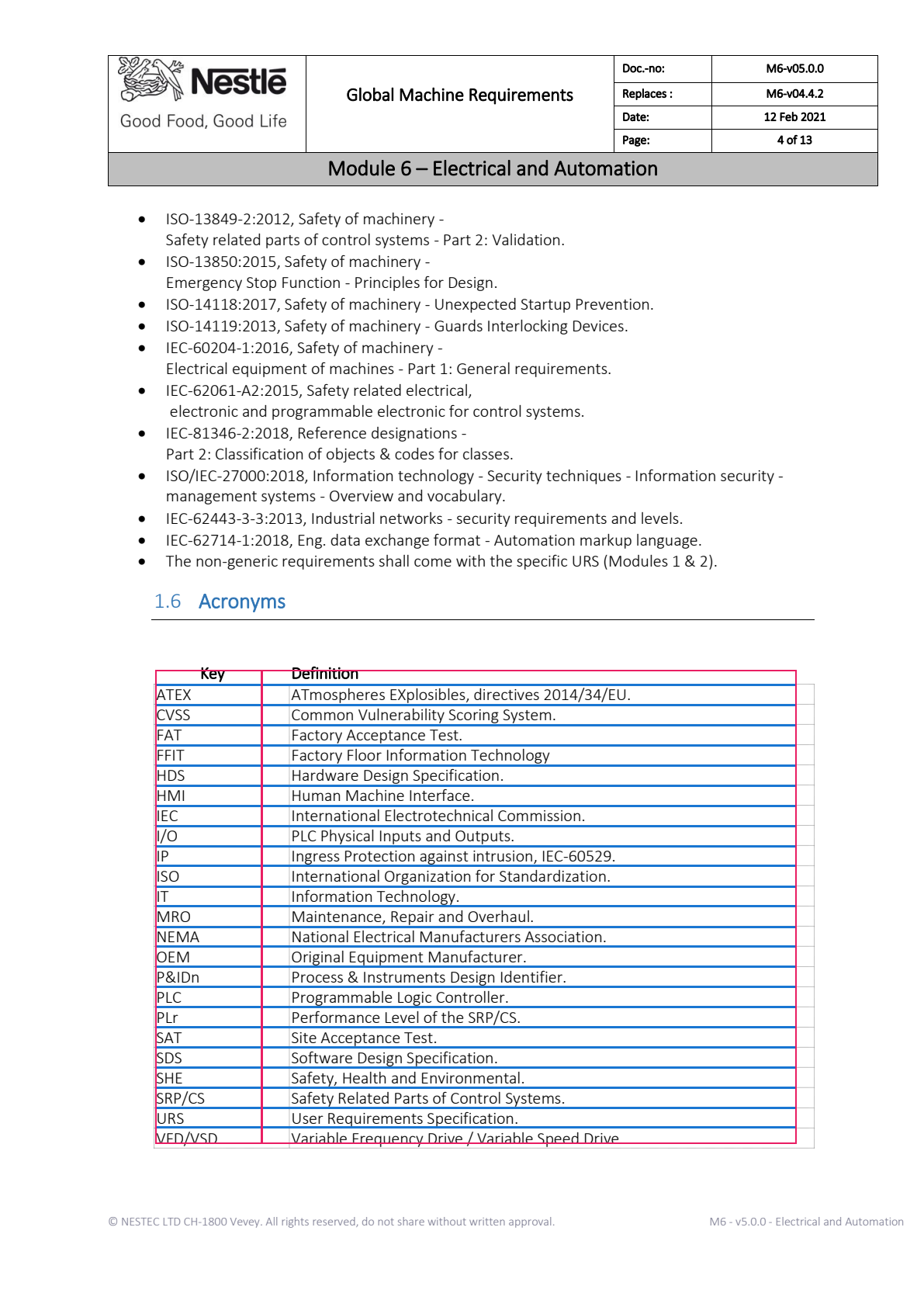
Two modes: simple returns row and column bounding boxes only (fast, geometric), and full returns the full <table> HTML with colspan / rowspan for spanning cells.
Text line detection
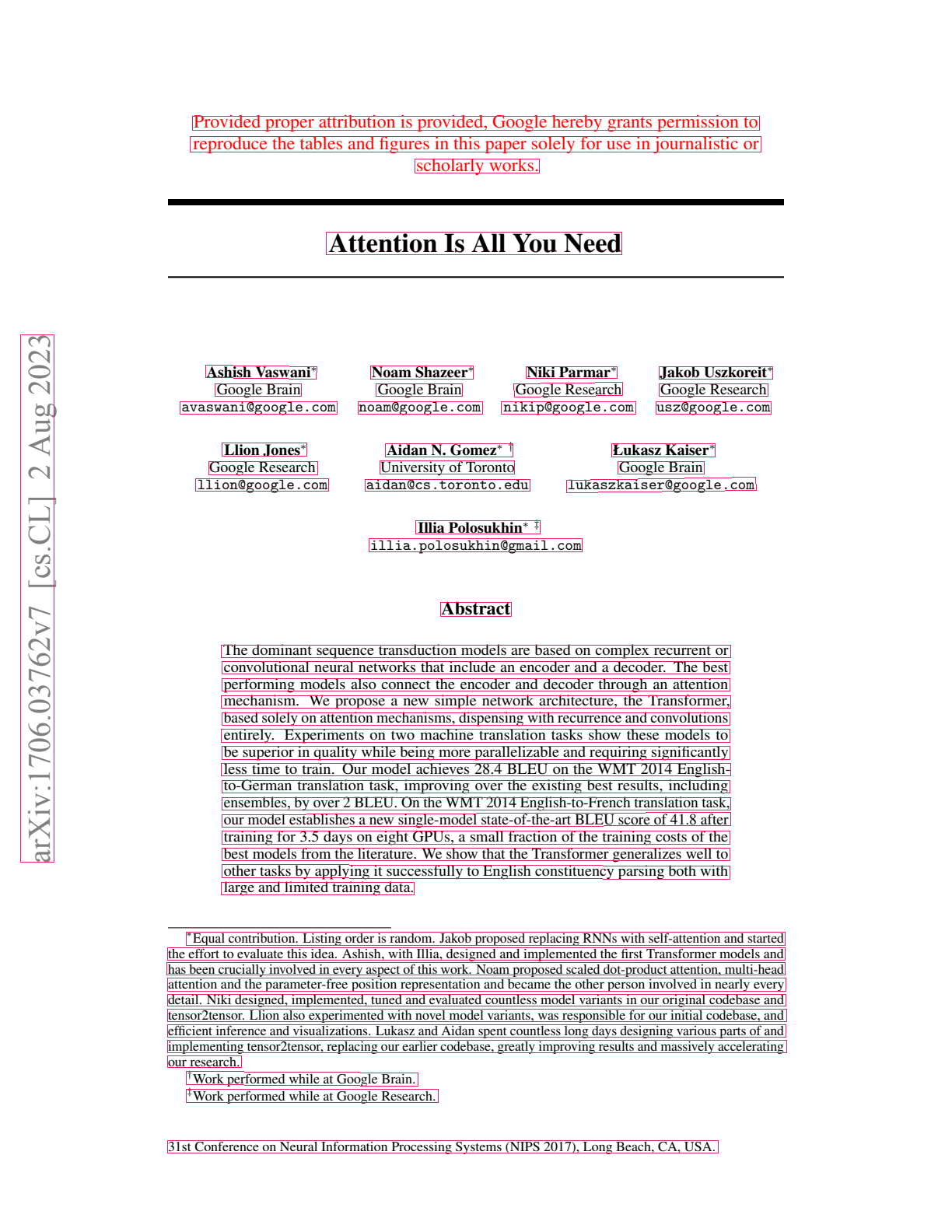
A small EfficientViT-based segformer, trained from scratch on document line annotations. It runs purely on torch and works without the VLM backend — useful when you only need bounding boxes and want sub-second latency.
Throughput
Surya 2 ships with two backends:
- vLLM on NVIDIA GPUs (uses Docker, supports speculative decoding via MTP heads for an extra throughput boost)
- llama.cpp (
llama-server) on Apple Silicon and CPU (uses a GGUF-quantized version of the model)
The inference manager picks one automatically based on the host, but you can override with SURYA_INFERENCE_BACKEND=vllm or =llamacpp. You can also point at an externally-managed server with SURYA_INFERENCE_URL.
Full-page OCR, 96 DPI input (~2,400 output tokens/page average), measured client-side.
RTX 5090 (vLLM)
vllm/vllm-openai:v0.20.1 on a single 32 GB RTX 5090.
| Concurrency | Pages/s | Tokens/s | p50 (ms) | p95 (ms) |
|---|---|---|---|---|
| 32 | 3.67 | 8,870 | 6,744 | 21,741 |
| 64 | 4.67 | 11,280 | 10,741 | 34,639 |
| 128 | 5.35 | 12,884 | 18,915 | 42,538 |
You can adjust the MTP config to tune throughput for your specific use-case. The defaults use 2 MTP tokens.
Apple Silicon (llama.cpp / Metal)
llama-server on an M1 with Metal backend, --parallel 8:
| Pages/s | Tokens/s | p50 (ms) | p95 (ms) |
|---|---|---|---|
| 0.108 | 254 | 59,313 | 129,173 |
You will likely get better throughput with a newer M-series chip and more RAM (parallel increases throughput).
Using Surya 2
Install
pip install surya-ocrYou’ll also need either Docker (for vllm on NVIDIA hosts) or llama.cpp (for Apple Silicon / CPU):
brew install llama.cppCLI
surya_ocr path/to/document.pdf       # full-page OCR; writes results.json
surya_layout path/to/document.pdf    # layout only
surya_table  path/to/document.pdf    # table recognition
surya_detect path/to/document.pdf    # text-line detection only

surya_gui                            # interactive Streamlit demo
Python
from PIL import Image
from surya.inference import SuryaInferenceManager
from surya.recognition import RecognitionPredictor

manager = SuryaInferenceManager()        # auto-spawns vllm or llama-server
rec = RecognitionPredictor(manager)

results = rec([Image.open("page.png")])  # full-page OCR
for blk in results[0].blocks:
    print(blk.label, blk.html[:80])
Block mode is auto-selected when you pass a LayoutResult:
from surya.layout import LayoutPredictor
layout = LayoutPredictor(manager)
layouts = layout([Image.open("page.png")])
results = rec([Image.open("page.png")], layouts)
Table recognition:
from surya.table_rec import TableRecPredictor
table = TableRecPredictor(manager)

table([Image.open("page.png")])              # rows + columns only
table.predict_full([Image.open("page.png")]) # full <table> HTML
Playground
datalab.to/playground — our free playground where you can test our different documents.
Datalab API
If you want best-in-class accuracy without dealing with infrastructure, the Datalab API runs Chandra (the higher-accuracy model) plus extras like automatic correction. Free $5 in credits to try.
What’s next
We’re working on:
- Improved accuracy on some languages
- Improved accuracy on degraded historical documents and handwriting
- Quantization / more efficiency
If you have feedback or want to integrate Surya 2 into your workflow, email [email protected] or find me on Twitter.