
Earlier this year we shipped a box and a confidence score for every word. Since then, the hardest documents our customers send us have told us where the feature needed to get better: faded scans, spreadsheet-like pages with thousands of cells, and pages that arrive rotated.
This update covers all three.
1. Confidence now reacts to page quality, not just spelling
The first version of confidence measured transcription error: swapped character and dropped words. It was however not very good at measuring how readable the source was. A word can be blurred, faded, or crossed by a fold and still be transcribed correctly.
Confidence is now better calibrated against the pixels and more easily detects issues such as: blur, low contrast, bleed-through, and compression artifacts.
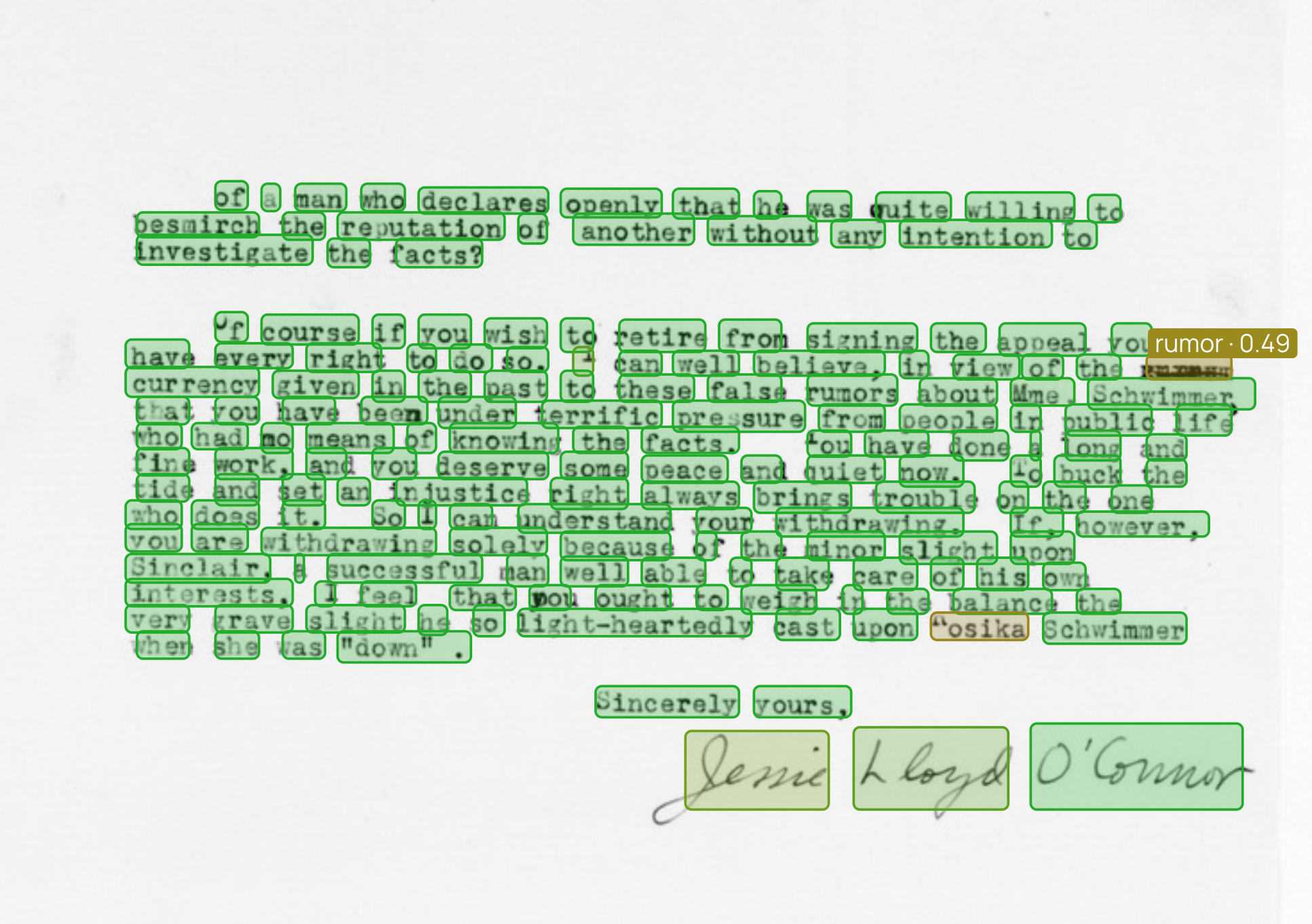
A faded typewritten letter. the struck-over rumor drops to 0.49 and is flagged. Our OCR model uses context to transcribe this, arguably correctly, but still worth a human review.
Why this matters: page-quality problems are exactly the ones that don’t show up in a spot check of the output text. A page that reads fine but scored badly is a page you should re-scan or route to review.
Each page carries its own confidence in the response metadata:
for page in result["pages"]:
    if page["metadata"]["confidence"] < 0.7:
        route_to_review(page)
2. Exact word and cell boxes on very dense pages
We changed how localization is supervised at high word counts, and word and cell boxes now stay tight through on pages with thousands of words.
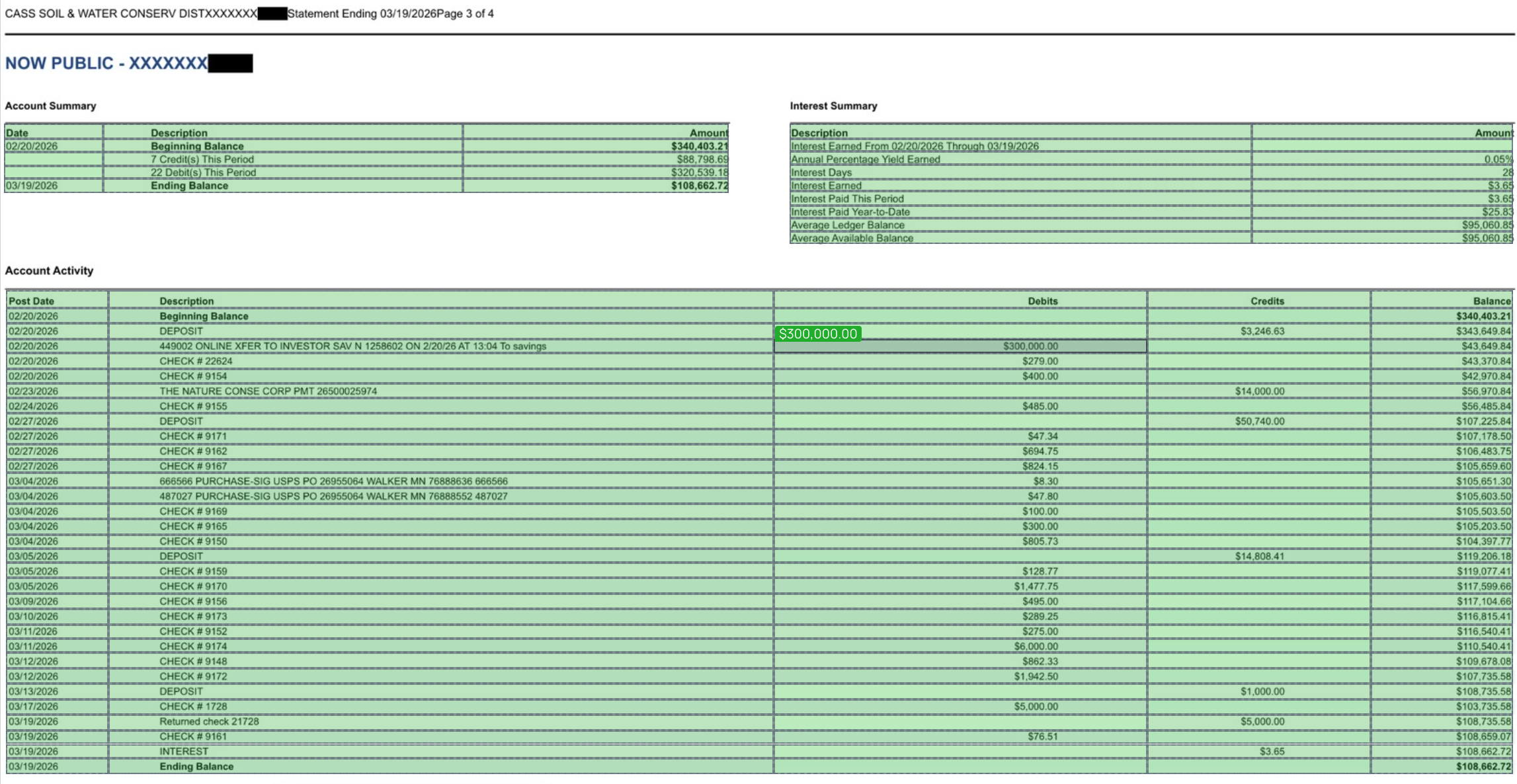
A bank statement with a few hundred cells across three tables. Boxes stay aligned to the ruling all the way down the page, and hovering any cell gives you its value — here $300,000.00 in the debits column.
This is what makes downstream extraction reliable — you can key a value to its row and column by geometry rather than by parsing text order, which is where dense multi-column pages usually break.
3. Localization on rotated, flipped, and mixed-orientation pages
The model now simply knows how to localize text in any orientation, which is why it works at 90°, 180°, and 270°, and why it handles horizontal and vertical text mixed on the same page. Boxes come back in the coordinate space of the image you sent, so you can overlay them on your original directly.
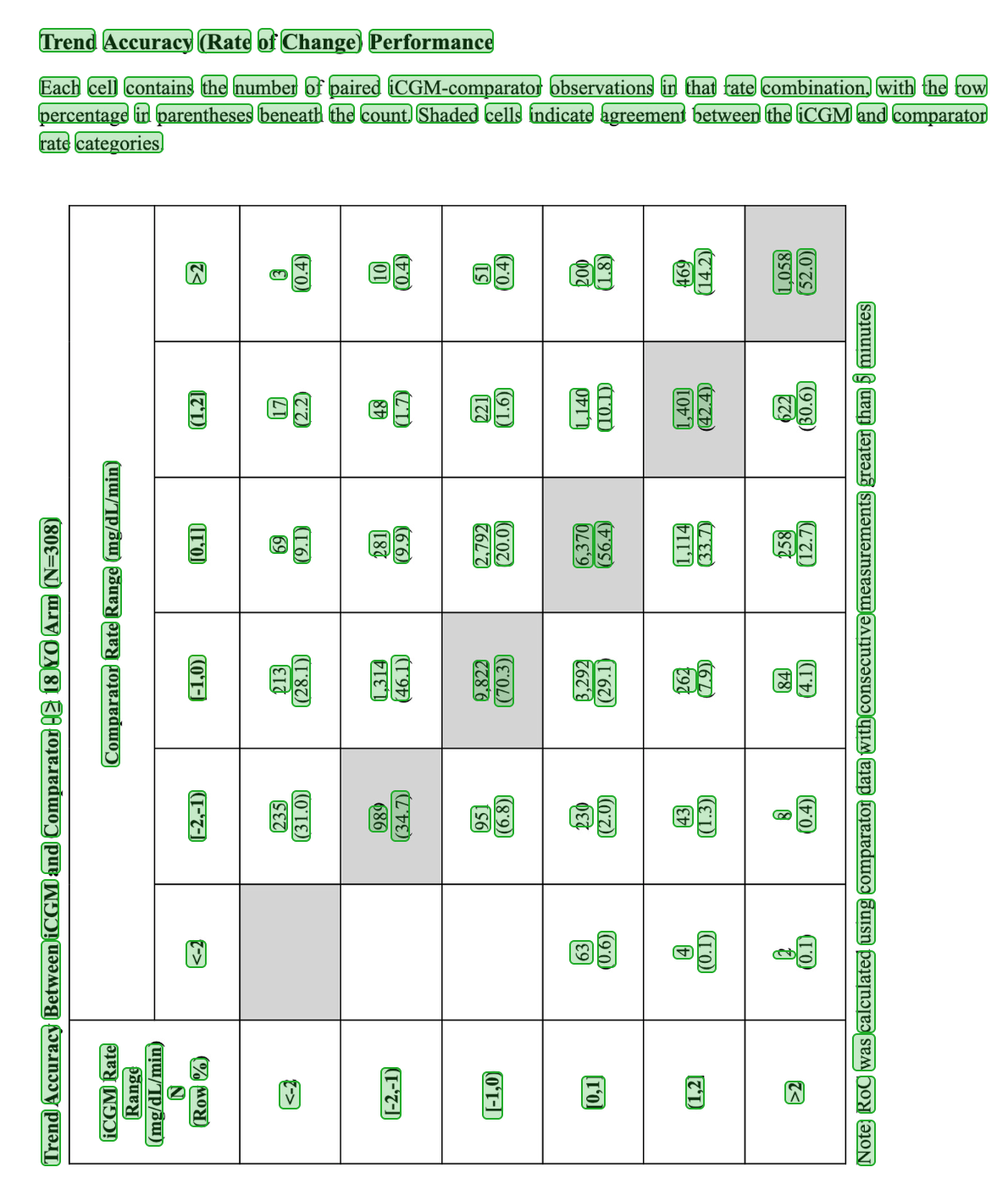
A dense clinical table rotated 270°. Every value, header, and footnote word is boxed in the orientation it appears in.
The practical effect is that you can stop pre-processing. No deskew pass, no orientation classifier in front of the API, no separate branch for CJK vertical text.
Use cases
- Batch triage. Route the bottom few percent to re-scan or to a reviewer before anything else runs.
- Human-in-the-loop review at scale. On a dense page, reviewers see only the flagged words, highlighted in place. Boxes that are exact make that highlight trustworthy.
- Table extraction by geometry. Cell boxes plus row and column lines let you reconstruct a grid without relying on reading order.
- Archives and microfilm. Degraded historical scans are the case where confidence-from-pixels pays off most — the transcription looks fine and the page is barely legible.
- Mixed scanner output. Ingest whatever comes off the scanner, in whatever orientation.
How to use it
These improvements are in the current model — no API change. Turn on the bounding box add-ons in a convert request and you get them:
import requests

resp = requests.post(
    "https://www.datalab.to/api/v1/convert",
    headers={"X-Api-Key": API_KEY},
    files={"file": open("scan.pdf", "rb")},
    data={
        "output_format": "html",
        "word_bboxes": True,
        "table_cell_bboxes": True,
    },
)
Boxes and scores come back inline in the HTML, one span per word, list, or cell:
<span data-bbox="161 308 201 329" data-confidence="0.97">Oberflaechen</span>The same data-bbox and data-confidence attributes land on table cells, rows, columns, and list items. See the bounding box add-ons guide and the convert document API reference for the full request and response shape, and the pricing page for add-on pricing.
Try it
Send a document through the playground with the word boxes toggle on — a bad scan or a sideways page is the interesting test. Everything above is live in the API now.
If you’re running OCR over a large or degraded archive, or building review tooling on top of it, we’d like to hear what breaks. Reach out at [email protected].