
Our new word-box model is live in the API. On real handwritten and scanned pages, 93% of words now get a usable box, up from 60%, and correctly read words are far less likely to be flagged as low confidence.
Word bounding boxes and confidence already worked well on clean, printed pages. On handwriting and old scans they were much weaker. Boxes drifted onto the next word or the next line, and many correctly read words came back with low confidence, so review queues filled up with text that didn’t need a second look.
Before and after
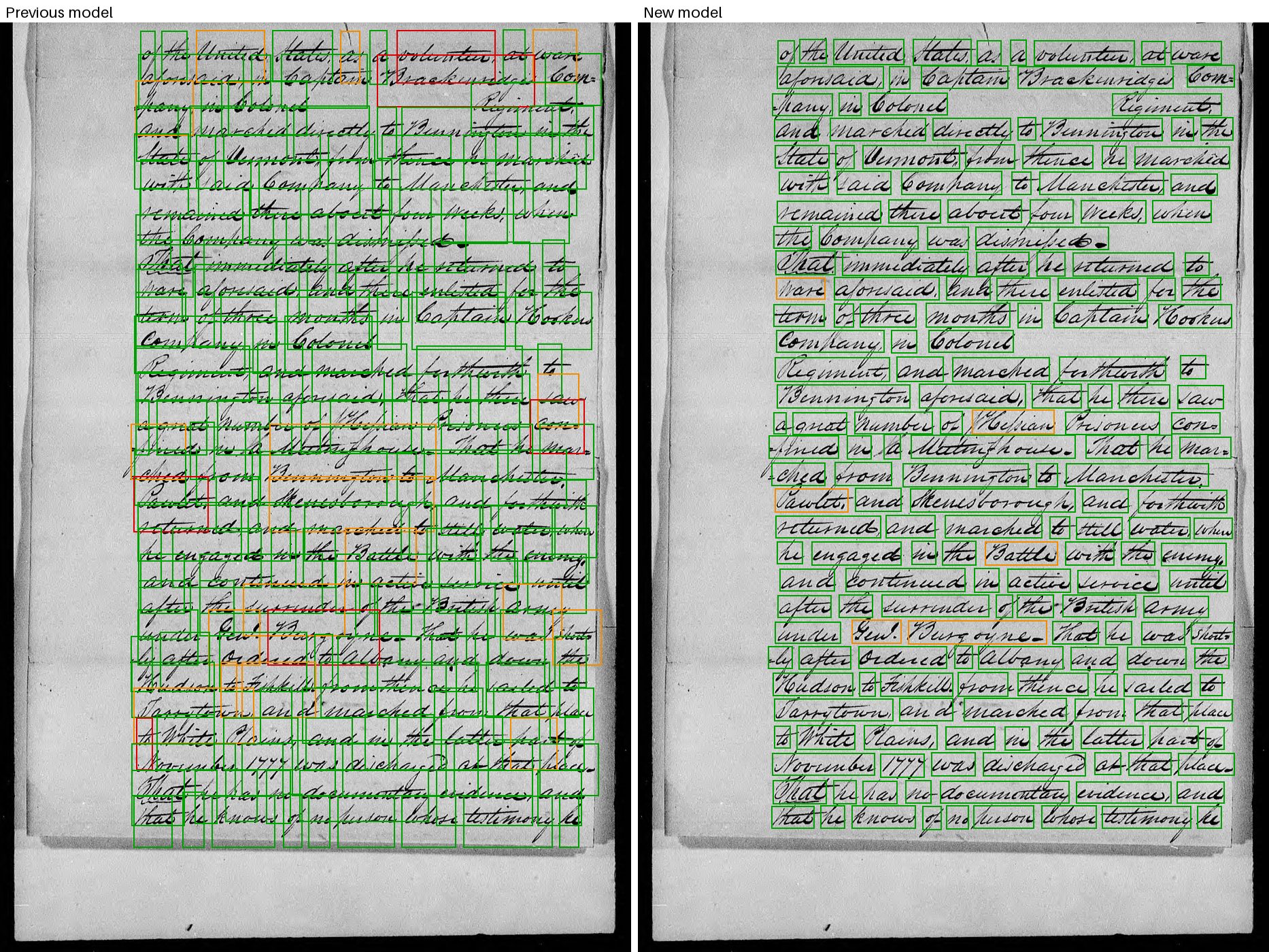
A Revolutionary War pension declaration from the U.S. National Archives (public domain). Left: the previous model. Right: the new model. Box color is word confidence: green 0.9 and up, orange 0.5 to 0.9, red below 0.5.
| Real handwritten and scanned pages | Previous model | New model |
|---|---|---|
| Words with a usable box (IoU ≥ 0.5) | 60% | 93% |
| Words with a tight box (IoU ≥ 0.75) | 12% | 72% |
| Words with a box in the wrong place (IoU < 0.1) | 12% | 6% |
| Correctly read words scored below 0.5 confidence | 4.4% | 0.8% |
Measured with our production code on held-out handwritten and scanned pages, against reference word boxes. Latency is unchanged.
Printed pages come back clean too. Here is a typed memo, with the new model’s boxes:
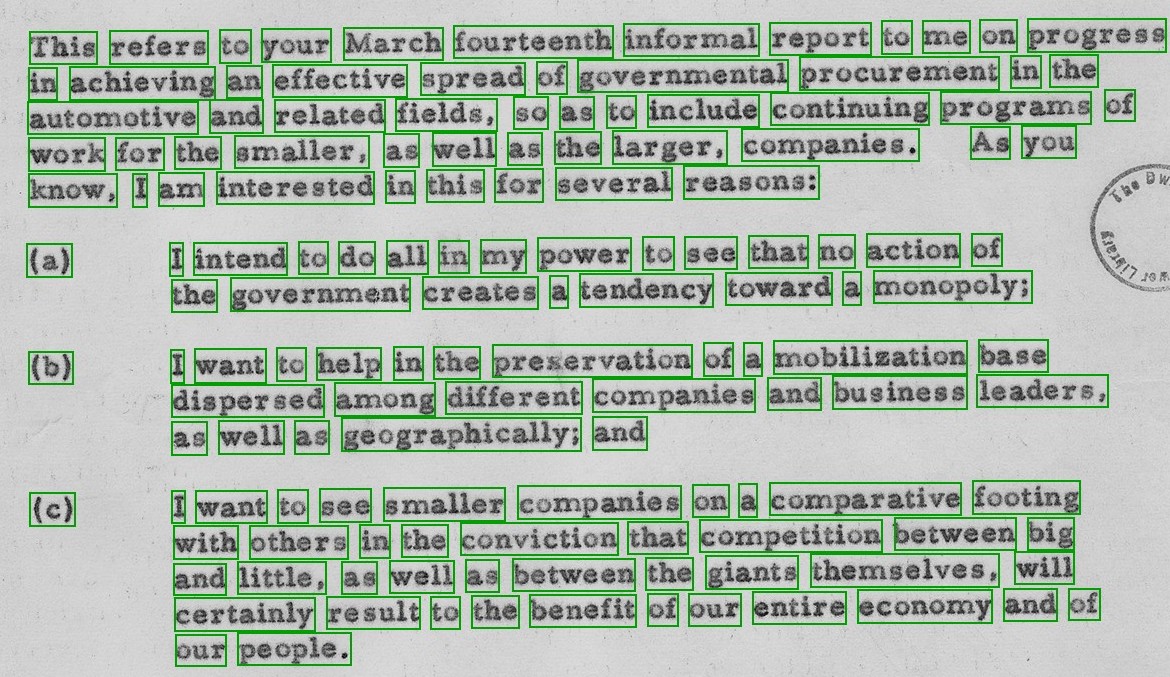
A 1955 memorandum from President Eisenhower to the Secretary of Defense, from the U.S. National Archives (public domain, via [Wikimedia Commons](https://commons.wikimedia.org/wiki/File:Memorandum_from_President_Eisenhower_for_the_Secretary_of_Defense-NARA-186497.jpg)). New model.
Other scripts work too. Here is a page of Hindi verse from a 1925 printing:
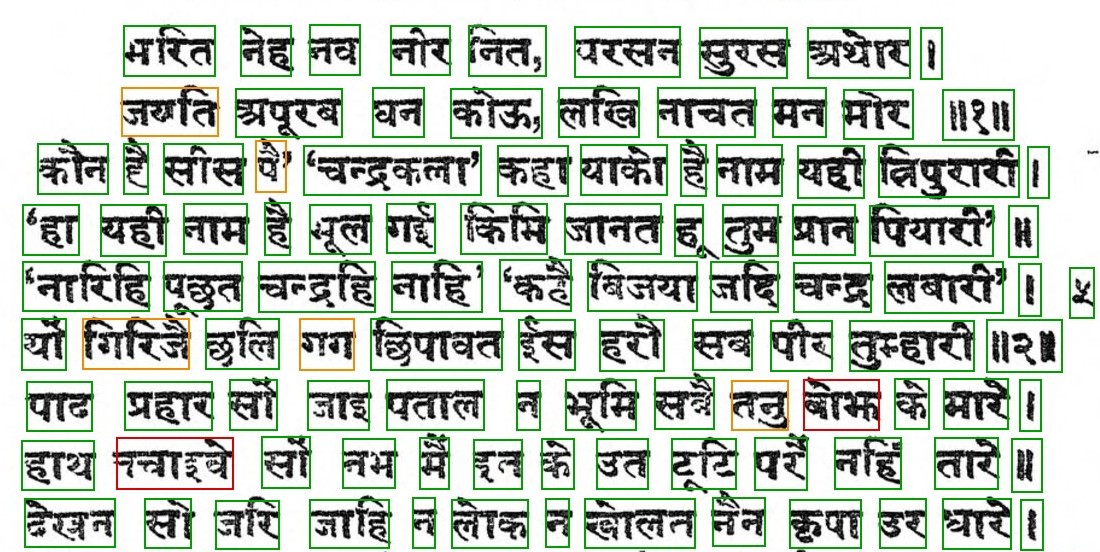
Mudrarakshas by Bharatendu Harishchandra, 1925 printing (public domain, via [Wikimedia Commons](https://commons.wikimedia.org/wiki/File:Mudrarakshas%28BharatenduHarishchandra,_1925%29.djvu)). New model. A few words are scored orange or red.
Confidence you can route on
Low confidence should mean “look at this word”. On handwriting, it often meant “this is handwriting”: 4.4% of correctly read words scored below 0.5. With the new model that is 0.8%, so a review queue built on confidence holds far fewer words that were fine.
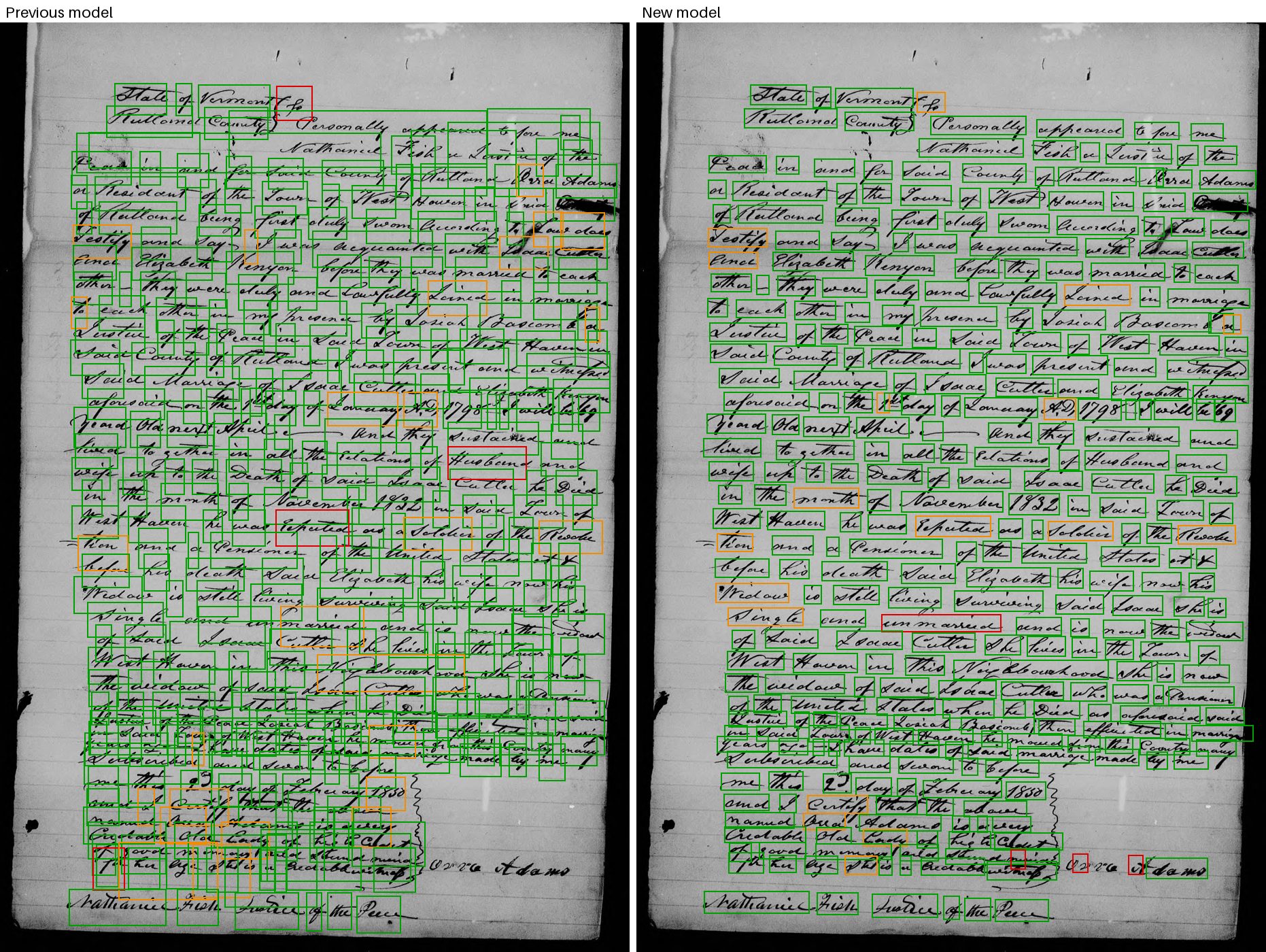
A marriage affidavit from the same pension files. The new model gives each word its own box. It is not perfect: a few boxes still overlap in the last lines above the signature, and a few words are still scored orange or red.
What to check
There’s no API change. Turn on word_bboxes as before, and boxes and confidence come back in the same data-bbox and data-confidence attributes. The new model is live in both our US and EU regions.
Confidence values on handwritten and scanned pages will be higher than before, because far fewer correct words score low. Page confidence, which is driven by the lowest-scoring words on the page, rises too. If you tuned a review threshold on the old scores, check it against a sample of your own pages.
Try it
Run a handwritten letter or an old scan through the playground with word boxes turned on. If your archive has pages where the boxes still miss, we’d like to see them: [email protected].